Run!
A downloadable game
Run! is the first video game I ever made, it waited at least 35 years to be completed and published properly. It didn't even have a name at that time.
It's a tribute to myself, my father and his father.
This game is a running competition for two human players, so not only you have to dust of your beloved MSX, but you will need a friend too to play together.
No need to have two joystick, the keyboard will be enough for both of you!
It's a little game, but it's where all started for me.
Made for MSX 1 (Italian and European Version) for the 'BASIC 10 Liner Contest' (Category "PUR-80").
HOW TO LOAD AND LAUNCH THE GAME
1) Use an MSX1 or emulator. I program the game with the one at webmsx.org.
2) With the emulator, in the bottom right corner select the Settings icon (gear shape) and choose "Select Machine", from the new list select then MSX Europe (PAL).
3) The system will launch and will ask to fill the date (American date system).
4) Once the system is ready click on the sixth icon on the bottom left side of the screen (hovering over it the tooltip will show "Cassette Tape").
5) Choose "Load Tape Image".
6) Find the folder where you saved the game, the file name is "Run!.cas" and double click on the file.
7) Click again on the Cassette Tape icon and this time choose "Run Program".
PLAYING THE GAME
The game is a running competition between two human players.
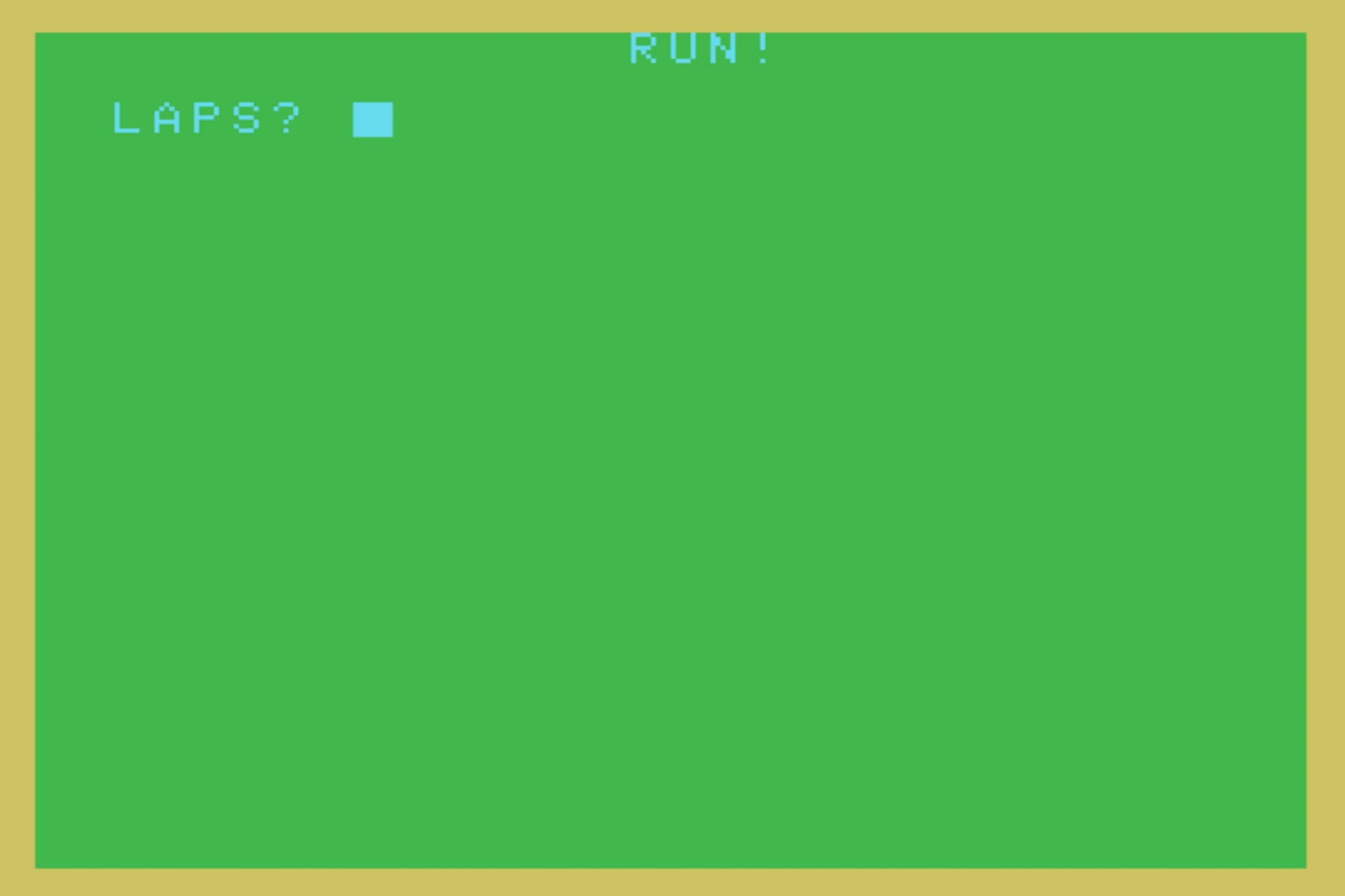
When the game starts you will be asked to enter a number of laps to perform in order to win the game. You will have to choose a number. Due to the limitation of the program there isn't a proper error check in case of alphanumerical input, so please use a numerical integer input (minimum value 1). For your first game, I suggest with start just with 1 lap in order to see how the game works and end.
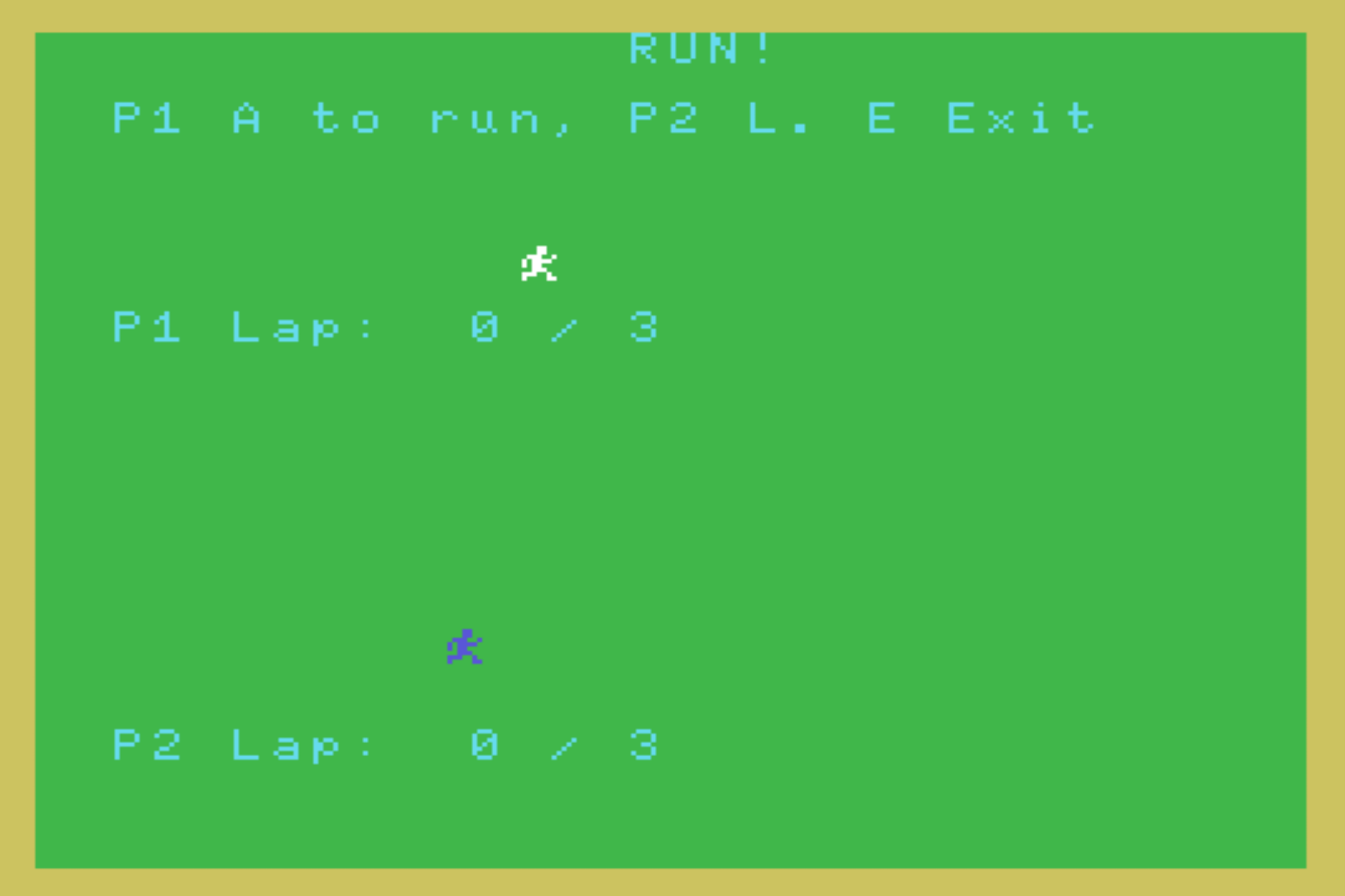
Once the number of laps has been chosen, the game starts and the input for the players are displayed:
Press A or a to let move Player 1's character (white colour on top) one step,
Press L or l to move Player 2's character (blue at the bottom) one step,
Press E to exit the game.
The goal of the game is to press many times the key to move your character and reach the end of the screen to complete one lap.
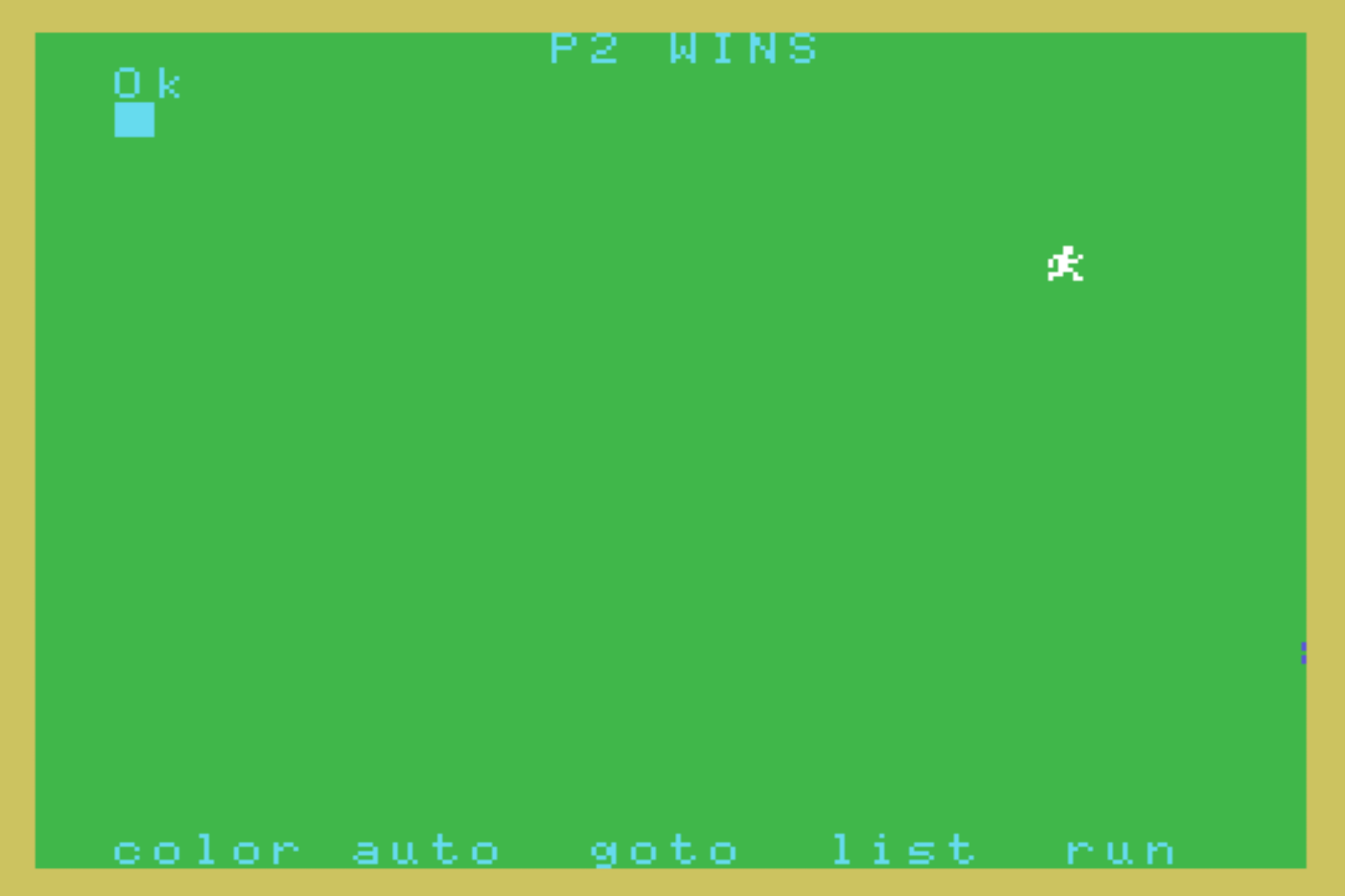
The first player that complete all the laps is the winner. The game ends, but you can press F5 or type run and then press enter/return to play again.
KNOWN ISSUES AND BUGS DUE TO THE CODE LIMITATION FOR THE SUBMISSION TO THE 'BASIC 10 Liner Contest' (Category "PUR-80")
The nature of the contest is to have the game in 10 lines of code, each of them containing maximum 80 character.
Due to this restrictions, the code isn't particulary complex and not well optimised, however the game is working better than expected, and definitely better than I planned many decades ago (see below).
a) If both players keep their keys down, they can cheat and run faster than pressing the button, but hey, while playing with family and friends, I am sure you want to have fun. However if only one of the players try to cheat and holding down the key, their character will not move while the one of the other player that plays normally will continue its run.
b) Input alphanumerical characters when asked to insert for laps will give an error. The question will be asked again and when insert a number it will work, however text will not be cleaned from the screen. In that case, after inserting a number and press enter, press the key E to exit the game and restart it with F5 or typing "run" and pressing enter. Similarly, is a positive non integer number is entered, the game will start, but the winning lap can't be counted normally, so avoid to insert values as 1.1, but use instead 1 or 2. If a number is 0 or lower, the program will set the number of laps to 1, this is at the moment the only control that works fine in the game.
WHY THIS GAME IS A GREAT ACHIEVEMENT FOR ME?
1) This is the very first game I was trying to make, not sure exactly when, but definitely at minimum 35 years ago, when I was 13, but it could have been more, like when I was around 10. I got my MSX VG8020 when I was 8 years old. The game is inspired by the coin op game Track & Field of Konami, relased in 1983. I went last month back in Italy to visit my dying father (I live overseas since 2012 and I am now in Japan), while I was there, I looked between my hundreds of childhood, teenager and young adult game project, for the code of this very first game. Unfortunately I couldn't find it, but I remember more or less how it was. I am quite sure both character where black and definitely you have to make 10 laps. No options, no text and nothing else. I wanted to conclude this game while in Italy with my father, especially after have discovered the BASIC 10 Liner Contest. I was hoping to show it to him, but things were difficult to handle and he was not well. So once came back in Japan I decided to complete something that has waited for so long. It's finally a conclusion of a first game that was waiting, a game that when I showed it to one of my cousin saying that I made a game, with disappointed he said "What is this?", meaning that the game was terrible, he was expecting probably an arcade quality. To me instead was a first step, that I should have continued more. I tried many time in my life to make games and now I am an indie game developer doing this for living. This is a tribute to myself, to my father for his patience in the first times typing with me endless code learning the basic of programming and for the father of my father that at that time, when I said to him that I wanted to be a game programmer when adult, he said "You are saying well, the computer is the future". So this is the first and main reason while this game, in it's simplicity is very important to me.
2) I always wondered for so many years how to have sprites and text together, never went deep enough to it after being teenager having moved to the Mega Drive first and PC after, leaving the MSX in my heart waiting for when I will have a good income enough to give me freedom o spend time for retro programming. I don't have that financial stability, but I had to try this time. I found however that Screen 0 and 1 are not just text and Screen 2 and 3 only images. That was a shocking and revealing news because the manual wasn't really clear with that. So many years wondering how I could do it and yesterday finally I found out that Screen 1 can have sprites and that's how this game improved from its original version. Everything suddenly becomes much easier and this might lead me to give it a go in demaking some of my current and future games in order to work on the MSX!
3) There are lots of new pieces of information that I am figuring out in just a couple of days and well, I am really considering that I could dedicate some of my time in retro-programming officially as part of my current business if there is enough interest in new MSX games and I know there are lots of passionate programmers, fans and collectors that create and buy new made games, so, why not? ;-)
CODE
The following is the compacted code that fits within the limit of the 'BASIC 10 Liner Contest' (Category "PUR-80").
10 SCREEN 1,0:COLOR 7,2,10:LOCATE 13,0:PRINT"RUN!":P1$="":P2$="":P1X=0:P2X=0
20 KEYOFF:FOR I=0 TO 7:READ S:P1$=P1$+CHR$(S):NEXT I:SPRITE$(0)=P1$:PRINT""
30 DATA 12,12,57,94,88,28,114,67:P2$=P1$:INPUT"LAPS";LAPS:IF LAPS<1 THEN LAPS=1
40 I$=INKEY$:PUTSPRITE 0,(P1X,48),15,0:PUTSPRITE 1,(P2X,136),4,0
50 IF I$="A" OR I$="a" THEN P1X=P1X+1:LOCATE 0,8:PRINT "P1 Lap: "P1X\255"/"LAPS
60 IF I$="L" OR I$="l" THEN P2X=P2X+1:LOCATE 0,20:PRINT "P2 Lap: "P2X\255"/"LAPS
70 LOCATE 0,2:PRINT"P1 A to run, P2 L. E Exit":IF I$="E" OR I$="e" THEN CLS:END
80 IF P1X\255 = LAPS THEN CLS:LOCATE 11,0:PRINT "P1 WINS"
90 IF P2X\255 = LAPS THEN CLS:LOCATE 11,0:PRINT "P2 WINS"
100 IF P1X\255 <> LAPS AND P2X\255 <> LAPS THEN GOTO 40 ELSE KEYON
CODE EXPLANATION
LINE 10
SCREEN 1,0 Set the screen to mode 1 and set the sprite with small dimension (8x8 pixels) [You can set the SCREEN 1,1 if you want bigger sprites with double size]
COLOR 7,2,10 Set the colour for the screen COLOR (Text Color: Cyan), (Background Color: Green), (Border Color: Yellow)
LOCATE 13,0 Move the cursor to the coordinates 13,0
PRINT"RUN!" From the current cursor position, print the game name (Run!)
P1$="" Set the variable P1 as alphanumeric that will contain the data for the sprite of Player 1
P2$="" Set the variable P2 as alphanumeric that will contain the data for the sprite of Player 2
P1X=0 This will be the variable to check the X position of Player 1 and move it each time its key will be pressed
P2X=0 This will be the variable to check the X position of Player 2 and move it each time its key will be pressed
LINE 20
KEYOFF Hide the Keys at the bottom of the screen (color, auto, etc.)
FOR I=0 TO 7 Start a loop that will be repeated 8 times, this is needed to read the 8 lines that will create the design for the characters of the players
READ S Getting ready to read the sequence of data and store it as string
P1$=P1$+CHR$(S) At each loop add a new string that represent a line that creates the Player 1's character
NEXT I Go at the beginning of the loop "For" and increase the value of I by 1
SPRITE$(0)=P1$ Once all values to design the character have been stored in the variable P1$, use those value to create the first sprite (sprite 0), that will be used by Player 1
PRINT"" This command seems doing nothing, but in reality brings te cursor down by one line, since every time it prints it goes to a new line. This saved me to type longer code instead of using Locate and giving coordinates for the INPUT command that will come in line 30
LINE 30
DATA 12,12,57,94,88,28,114,67 This are the values used to draw the runner character. each value represents a specific pixel sequence on an horizontal line
P2$=P1$ Since for both player the character has the same shape, I just copy the value of P1$ into P2$ to save lines of code and avoid redundancy
INPUT"LAPS";LAPS This will ask the player how many laps they want the race last for. It will accept a numerical value that will be stored in the variable LAPS
IF LAPS<1 THEN LAPS=1 Here we make sure that if the player insert a value that is less than 1 we have at minimum 1 lap. See above KNOWN ISSUES AND BUGS DUE TO THE CODE LIMITATION FOR THE SUBMISSION TO THE 'BASIC 10 Liner Contest' (Category "PUR-80") for more detailed information
LINE 40
I$=INKEY$ From this point starts the core game loop, where the game keeping coming back until it ends with the victory or is interrupted earlier. The computer check if there is any key input and assigns its value to the alphanumerical variable I$
PUTSPRITE 0,(P1X,48),15,0 The character of Player 1 (Sprite 0) has priority 0 when considering at which layer place it compared to the others (higher value), but in this game, sprites never overlaps, so it's not a problem any number used. The sprite is positioned on the X according to how many times the related key has been pressed, the value is stored in P1X and when this value goes over 255, despite the value increase the position on the screen cannot be more than 255 and therefore it starts back from 0, creating the visual end of one lap. 48 is instead the Y position of the sprite and that's always constant. 15 gives the white colour to the sprite to distinguish it from the one of the other player and the final 0 is related to the pattern of the sprite to use. We have only one pattern (previously defined in line 30 with DATA for both characters that are identical
PUTSPRITE 1,(P2X,136),4,0 This is the sprite for the second player, the priority of height is 1 instead of 0, so lower than the previous one, but again, they will never overlap, so no problem here, P2X is the X value for the position of P2 as previously described for P1X for P1. 136 is the Y of the sprite, 4 is the blue colour and finally we use again the same pattern to give the same shape to the sprite of Player 2
LINE 50
IF I$="A" OR I$="a" THEN P1X=P1X+1 If Player 1 presses the key A or a (works in both case with or without caps on or off), then the value of their character X increases by one (it will be moved in line 40 with the instruction PUTSPRITE)
LOCATE 0,8 Move the cursor to the coordinates 0,8 (This happens only if the above IF condition is true)
PRINT "P1 Lap: "P1X\255"/"LAPS From the current cursor position, print P1 lap: and divide the X position of the character by 255 in order to get the integer number only that will say how many laps have been concluded so far, then add "/" and LAPS to the printed text in order to have something like this at the beginning of the game "P1 Lap: 0 / 3", where 0 increases at each lap concluded and 3 is the amount of laps necessary to win the game (even this conditions happens only if the previous IF is true)
LINE 60
The instructions of this line are similar to the one of LINE 50, but they are related to P2 instead of P1 and the key to press is L or l
LINE 70
LOCATE 0,2 Move the cursor to the coordinates 0,2 (This command is not optimised for this code, since it's redundant because repeated in every loop, but it's necessary to b here due to the restrictions of the competition that forced me to compact the code)
PRINT"P1 A to run, P2 L. E Exit" Here we put on screen the instruction for the game, since nowadays people don't like to read anymore instructions. (This as the above line is not optimised, but it's here due to the competition limitations. Both could be avoided if players would read instructions manual as long time ago, but I am sure some MSX fans still love to do it like me! :-D )
IF I$="E" OR I$="e" THEN CLS This is the real core of this line, if the player wants to quit and go back to the MSX without resetting and reloading the game, E or e can be pressed and the screen is cleaned from the text (but not from the sprites, due to the usual limitations), the following line end the program
END The program is ended is the previous line IF is true and the cursor becomes again visible for the user
LINE 80
IF P1X\255 = LAPS THEN CLS Here we start the procedure to end the game with the victory of the player 1. If the number of steps done moving on the X axis is enough the game will end with the victory of P1. The value of P1X is divided as done before by 255, the number of visible pixels on the screen where the sprite can be, giving only the whole (integer) number as result. If that value matches the variable LAPS, that indicates the number of laps to perform, the screen is cleaned by the text and the following instructions determine the end with P1 victory
LOCATE 11,0 Move the cursor to the coordinates 11,0 (This happens only if the above IF condition is true)
PRINT "P1 WINS" Finally we can declare the Player 1 as the winner of this competition, but the game will quit only when reaching line 100
LINE 90
This is similar to LINE 80, but instead its referring to the info for Player 2
LINE 100
IF P1X\255 <> LAPS AND P2X\255 <> LAPS THEN GOTO 40 ELSE KEYON Here we check if either P1 or P2 have completed the whole game laps, if not, the computer goes back to the next input reading loop in line 40, otherwise the game is ended because there are no more instructions after this line. However, before ending, the keys at the bottom of the screen (color, auto, etc.) are displayed again for the user with the command KEYON. Sprites wil be still visible on the screen, again, due to the restrictions of the contest.
Download
Click download now to get access to the following files:
Leave a comment
Log in with itch.io to leave a comment.